

Best CS2 Cheat
These third-party tools for Counter-Strike 2 offer functions such as aim assistance and player information. Available features vary by software and package.
A CS2 cheat brings together features such as aim assistance, player position displays, and stream display controls. Premium cheat features offered by Bolmax, such as seeing opponents’ positions and receiving aim assistance, differ from game settings adjusted through CS:GO console commands. When moving from CSGO cheats to Counter-Strike 2, explore the explanations below to see how familiar premium features work in CS2 hack software.
Compare aiming, visual, and streaming options to choose a plan that meets your needs. Alongside the available features, consider the license duration and ease of use. Watch the YouTube demo in this section to see how the features work, then explore the videos below for examples of their use during gameplay.
What is the difference between external and internal CS2 cheats?
External software runs in a separate process, while internal software runs within the game process. This describes how the software operates; it does not by itself guarantee safety or remaining undetected.
CS2 External Cheat
Bolmax is an external cheat that runs in a separate process from Counter-Strike 2. It requires no DLL or injector. Explore its aim assistance, player information, and streaming options in the feature descriptions below.
CS2 Aimbot and Triggerbot Cheat
Bolmax’s Aimbot feature provides automatic aiming assistance by moving your crosshair toward a target within the specified field of view. The field of view, or FOV, defines the area used for target selection. Triggerbot triggers a shot when your crosshair is over an opponent. This lets you evaluate targeting and firing as separate functions. Watch the demo examples to see how the CS2 aimbot works and how it differs from Triggerbot.
CS2 Wallhack and ESP Cheat
Bolmax’s visual options display player positions on your screen. These visual cheats, which let you see players behind walls, are also known as CS2 wallhacks. Box ESP draws boxes around opponents; you can choose different colors for visible players and those behind walls. Skeleton shows body posture with lines, while Head Box marks the head position. Eye Ray shows the direction a player is looking. When reviewing the footage, note what each box, skeleton, and direction marker tells you. These elements do not replace one another: they provide separate information about position, posture, and direction.
CS2 Radar Cheat
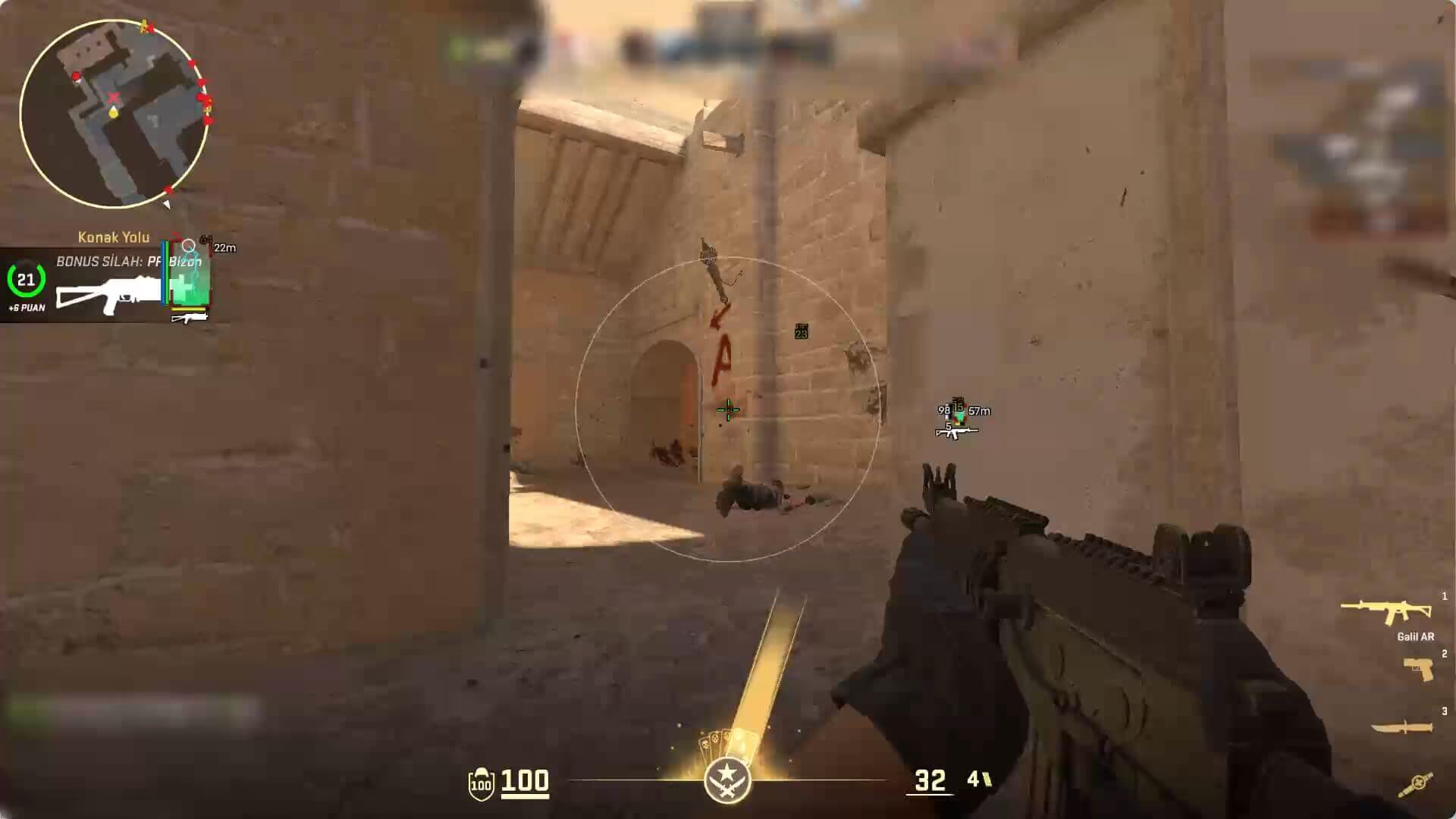
Radar shows opponent positions on the map, including players outside your field of view. The distance indicator displays how far away players are in meters. Line draws a marker from the bottom of your screen toward a player to make their position easier to track. This adds location and distance information to the player markers on screen. You can read the position on the minimap alongside the distance shown on screen. For example, a marker’s direction tells you which side the player is on, while the meter value tells you how far away they are. This makes it easier to understand the different information provided by radar and ESP.
Follow health, armor, and equipment information
CS2 ESP options can show more than a player location. Health and armor indicators display player status, while weapon and ammo indicators provide equipment information. Player names help identify marked opponents. Headshot Line adds a horizontal reference across the center of the screen to help you track crosshair height.
Hide the CS2 Cheat in OBS and Discord Streams
Hide on Stream hides Bolmax indicators from the broadcast image shared through OBS or Discord. This lets you distinguish the indicators on your own game screen from the view delivered to your audience. Check the OBS preview or Discord screen share before broadcasting. Comparing your own monitor with the shared view helps you assess your streaming settings. Indicators appearing on your game screen do not necessarily mean those same elements are visible in your broadcast.
CS2 Cheat Plans
Lite, Plus, and Pro offer different feature sets. To find a plan that suits your needs, compare the visual and aiming options instead of choosing by a feature name alone. Compare plan prices and license durations on the pricing page, then watch the videos below to see the features in game. Consider both the license duration and the features you need when choosing a plan. Use the comparison table to review aim assistance, player information, and streaming options. Before choosing a plan, review the explanations and demo footage. When looking for an affordable option, consider the license duration and the features you will use alongside the total price.
What should you consider when choosing a CS2 cheat?
Consider features, system requirements, license duration, and support together. Compare descriptions and demonstrations to see which options meet your needs.
What is the difference between paid and free CS2 cheats?
Paid and free options may differ in features, updates, and support. Price alone does not establish safety; also review the source, usage limits, and support terms.
What determines CS2 cheat prices?
Prices depend on the package, license duration, and available promotions. Compare current Lite, Plus, and Pro prices and features on the pricing page.