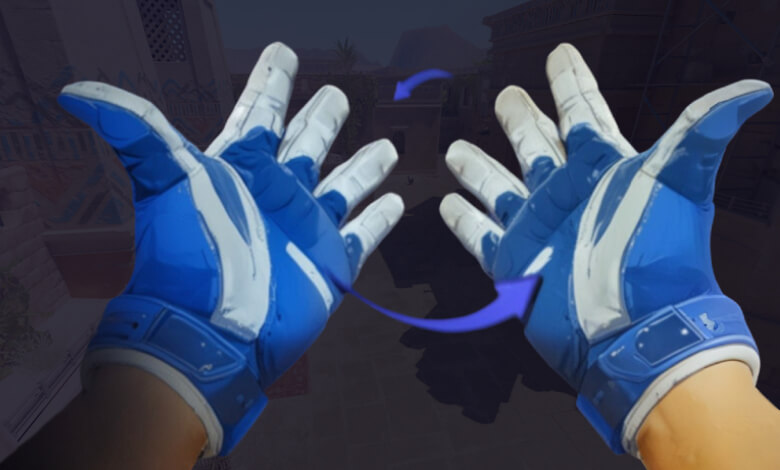
For a better gaming experience in CS2, you may want to use the handover feature. Especially for left-handed players or right-eye dominant players, this setting can significantly change the gaming experience. In this guide, we will explain in detail how you can configure handover settings in CS2.
Why is Changing Hands Important?
Which side your weapon appears in the game can make a big difference, especially in terms of aiming and viewing angle. For left-handed players or right-eye dominant players, having the gun on the left side provides a more natural and comfortable gaming experience.
How to Change Hands in CS2?
Method 1: In-Game Settings
- Start CS2
- Click the settings (⚙️) icon in the upper left corner
- Go to the "Keyboard and Mouse" tab
- In the "Weapon Keys" section, find the "Switch Viewmodel Left/Right" option
- You can replace the default 'H' key with any other key you want

How to Change Hands in CS2?
Method 2: Using Console Command
You can open the developer console by pressing the ~ key in-game, activate the setting by entering the following command, and make it permanent by adding this command to your autoexec.cfg file:
bind "h" "toggle cl_righthand 0 1"Optimization Tips
To optimize your game performance after handover:
- Readjust your sensitivity settings to suit your new viewing angle
- Adjust the position of HUD elements to your new perspective
- Get used to the new viewing angle by practicing on aim maps
- Review your crosshair settings
Frequently Asked Questions
Q: Does the handoff setting affect my performance?
A: Using a hand position compatible with your dominant eye can positively impact your aiming accuracy and reaction time.
Q: How to permanently save the handover setting?
A: You can add the console command to your autoexec.cfg file so that the setting is automatically applied at every game start.
Q: Will there be an easier handover option in future updates?
A: Considering that Valve offered this feature in previous CS versions, a similar update may come in CS2 as well.
Q: Can the handover setting be undone?
A: Yes, you can change the handoff setting at any time by using the same command again or pressing your assigned key.
Conclusion
The handoff setting in CS2 can significantly improve the gaming experience, especially for left-handed players and right-eye dominant players. You can improve your gaming performance by making this simple adjustment and practicing regularly. It may take some time to get used to the new perspective, so be patient and give yourself time to adapt.
Note: While making these settings, keep in mind that your in-game performance may decrease temporarily. This is normal and you will get used to the new viewing angle over time.
If this content was useful to you, you can also take a look at these topics:


