
What Resolution Should You Use in CS2?
Compare 1920x1080, 1280x960, and 16:10 options for CS2. Choose your resolution based on field of view, stretched visuals, and FPS balance.
November 3, 2026CS2 Guides
FPS, input lag, resolution, sound, radar, mouse, and system settings.
Compare 1920x1080, 1280x960, and 16:10 options for CS2. Choose your resolution based on field of view, stretched visuals, and FPS balance.

Practical advice to hear footsteps more clearly, improve directional sense, choose the EQ profile and keep team communication clear with the CS2 audio settings guide.

Explore the Counter-Strike 2 system requirements, including official minimum hardware, recommended PC specifications, Linux support, and competitive FPS targets.

Learn how to balance brightness, contrast, color vibrance, sharpness, DyAc, blur reduction, refresh rate, overdrive, and visibility for competitive CS2.

Learn which simple CS2 launch options are worth testing in 2026, which old CS:GO commands to avoid, and how to measure FPS, frame-time, and input results.
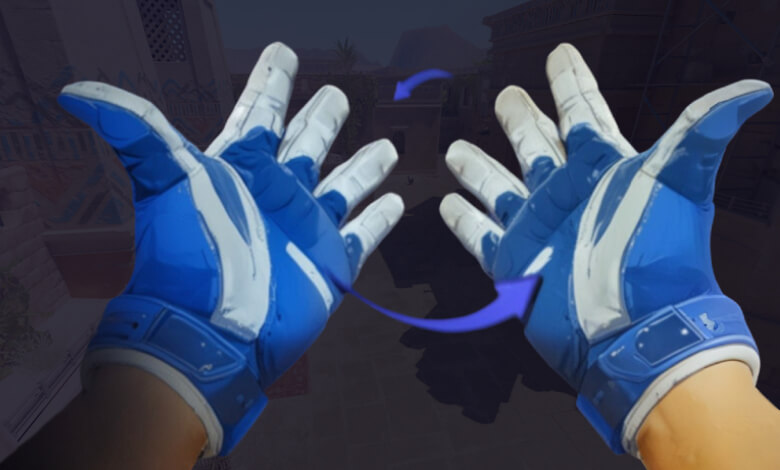
Learn how to switch your CS2 viewmodel between left and right hands through settings or a console bind, then optimize your aim for the new perspective.

Configure the best CS2 radar settings for clearer map awareness, with recommended scale, HUD size, centering, rotation, icon, and zoom values.

Learn how CS:GO bunny hop and acceleration commands work, how to enable them on private servers, and how proper timing helps you build movement speed.

Learn how to use the CSGO r_cleardecals command and bind it to Shift, Caps Lock, or another key to remove blood and bullet marks while playing.
Improve CS:GO performance with FPS boost commands that optimize graphics, CPU and network settings, plus learn how to display and monitor your frame rate.