Our CSGO Console Commands guide compiles the most widely used and important commands in CSGO history. CSGO commands help you customize the game further and enjoy a better gameplay experience.
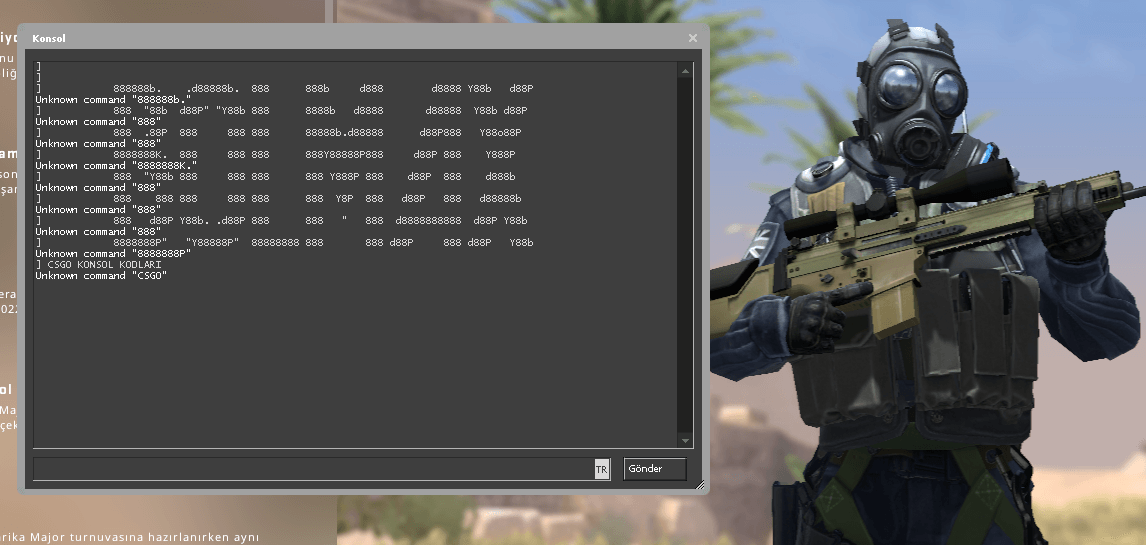
CSGO Console Interface
Tip: If you do not know how to open the console in CS:GO, take a look at our Open the CSGO Console guide.
Best CSGO Console Commands
The best CS:GO console commands offer a range of features that players can use to improve their gaming experience. These commands can help players change settings quickly and easily, optimize their in-game performance, and even have fun during the game.
| Command | Description |
|---|---|
| sv_grenade_trajectory_time 10 | Removes the in-game grenade trail after 10 seconds. |
| sv_showimpacts 1 | Shows the direction of bullets fired from your weapon and where they land. |
| sv_showimpacts_time 10 | Removes the traces of bullets fired from your weapon after 10 seconds. |
| sv_grenade_trajectory 1 | Draws a line showing the grenade's path after you throw it. |
| net_graph 1 | Opens the real-time data panel shown in the lower-left corner while you play. You can see details such as FPS, ping, and tick rate here. |
| cl_showfps 1 | Places an FPS counter in the upper-left corner for players who only want to see FPS. |
| scr_conspeed | Increases the console opening speed; the recommended value is 9999. |
| scr_centertime | Sets how long alerts such as a player dropping the bomb remain on screen during the game. |
| hud_centerid 1 | Displays the name of the player at whom you point your weapon in the center of the screen. |
| hud_saytext_time | Sets how long the in-game chat remains visible. |
| hud_fastswitch 1 | Lets you switch quickly to the weapon in any slot. |
| hud_deathnotice_time | Sets how long score information remains in the upper-right corner of the game. |
| con_color | Changes the color of text in the console and on screen. You need to provide a value in Red Green Blue (RGB) format. Search for the color you want with rgb before its name and enter it as shown here. Example: con_color 28 15 69 |
| condump | Saves all data shown in the console as condump.txt in the folder where CSGO is installed. |
| gamma | If the game is not bright enough, you can change this value. Example: gamma 4.5 brightness 8.9 |
| hideradar | Hides the radar. |
| drawradar | Shows the radar. |
| setinfo_ah | Enables or disables automatic help. |
CSGO Fun Commands
CSGO fun commands help players enjoy themselves during the game and alter some game features. For example, they can increase players' jump strength, add super-fast running, or let players fly somewhere.
| Command | Description |
|---|---|
| sv_cheats 1 | Enables cheats on the server. |
| r_drawothermodels 2 | Enables wall hack. |
| r_drawothermodels 1 | Disables wall hack. |
| mp_limitteams 0 | Removes team limits. |
| mp_freezetime 0 | Removes the waiting period at the start of a round. |
| sv_infinite_ammo 1 | Provides unlimited ammunition and grenades. |
| bot_kill | Kills every bot in the game. |
| god | Prevents you from taking damage. |
CSGO Bot Commands
CSGO bot commands create artificial-intelligence players in Counter-Strike: Global Offensive. These bots can be used for training or testing tactics. They may also be used in certain events and custom game modes.
| Command | Description |
|---|---|
| bot_add_t | Adds a bot to the Terrorist team. |
| bot_add_ct | Adds a bot to the Counter-Terrorist team. |
| bot_kick | Removes all bots. |
| bot_stop 1 | Stops the bots in place. |
| bot_place 1 | Places a bot at the point where your crosshair is aimed. |
| bot_stop 1 | Keeps the bots fixed in their current positions. |
| bot_place 1 | Places a bot at the end of your weapon's barrel. |
| bot_add | Adds a bot to CSGO. |
| bot_add_ct | Adds a Counter-Terrorist bot. |
| bot_add_t | Adds a Terrorist bot. |
| bot_all_weapons | Lets you give weapons to all bots. Add 0 at the end to disable it. |
| bot_allow_grenades | Allows bots to use grenades. |
| bot_allow_machine_guns | Allows bots to use machine guns. |
| bot_allow_pistols | Allows bots to play with pistols. |
| bot_allow_rifles | Allows bots to use rifles. |
| bot_allow_shoutguns | Allows all bots to use shotguns. |
| bot_allow_snipers | Allows bots to use sniper rifles. |
| bot_allow_sub_machine_guns | Allows bots to use SMGs. |
| bot_kill | Kills all bots for the current round. |
| bot_snipers_only | Makes bots use only sniper rifles. |
| bot_pistols_only | Makes bots use only pistols. |
| bot_knives_only | Makes bots use only knives. |
CSGO FPS Commands
CSGO FPS commands are used to improve in-game performance or customize display settings. They can set the maximum FPS limit, enable an FPS counter, customize visual settings, and configure other performance options. FPS commands can help the game run more smoothly and perform better.
| Command | Description | Values | Default Value | Usage Example |
|---|---|---|---|---|
| fps_max | Sets the maximum FPS limit | 0-1000 | 0 (unlimited) | fps_max 300 |
| fps_max_menu | Sets the maximum FPS limit in menus | 0-1000 | 120 | fps_max_menu 60 |
| cl_showfps | Enables or disables the FPS counter | 0-5 | 0 (off) | cl_showfps 1 |
| fps_max_use_best_settings | Automatically configures the FPS limit for the best performance | 0 or 1 | 0 | fps_max_use_best_settings 1 |
| mat_queue_mode | Sets the render-device queue mode | -1, 0, 1, 2, 3 | -1 (automatic) | mat_queue_mode 2 |
| r_dynamic | Enables or disables dynamic lighting | 0 or 1 | 1 (on) | r_dynamic 0 |
| r_drawtracers_firstperson | Enables or disables bullet tracers from the player's weapon | 0 or 1 | 1 (on) | r_drawtracers_firstperson 0 |
| r_eyegloss | Sets the amount of gloss on eyes | 0-1 | 1 | r_eyegloss 0.5 |
| r_eyemove | Enables or disables eye movement | 0 or 1 | 1 (on) | r_eyemove 0 |
| r_eyeshift_x | Sets the horizontal eye-shift distance | -50-50 | 0 | r_eyeshift_x 10 |
| r_eyeshift_y | Sets the vertical eye-shift distance | -50-50 | 0 | r_eyeshift_y -10 |
CSGO Game Interface Commands
CSGO game interface commands let you customize the in-game interface. These commands allow players to reposition, resize, and redesign items in the game interface, helping them create a more personalized gaming experience.
| Column 1 | Column 2 |
|---|---|
| name [nickname] | Lets you set a CS GO nickname that differs from your Steam name. |
| cl_hud_playercount_pos 1 | Moves the player list to the bottom of the screen. A value of 0 restores it to its previous position. |
| cl_hud_playercount_showcount 1 | One of the CS GO console commands used to hide the profile pictures of opponents and your own teammates. |
| hud_scaling [value] | Sets the size of interface elements. We recommend values between 0.5 and 0.95. |
| cl_showloadout 1 | Shows the inventory items in the lower-right corner. |
| cl_radar_always_centered 1 | Changes the radar mode and places your character at the center of the radar. |
| cl_radar_rotate 1 | One of the CS GO console commands that makes your radar rotate. It makes navigation easier. |
| cl_radar_square_with_scoreboard 1 | Turns the radar into a square and displays the match score on it. |
| cl_radar_scale 0.3 | Sets the radar scale. |
| cl_radar_icon_scale_min 0.7 | Sets the scale of game characters shown on the radar. |
| cl_hud_radar_scale 1.15 | Sets the size of the radar and other interface items, such as the HP bar and ammunition status. |
| hud_scaling [value] | Sets the scale of every interface element. |
| hud_showtargetid 0 | Hides player names when you move the crosshair over their characters. |
| cl_hud_background_alpha [value] | Sets the opacity level of interface elements. A value of 0.1 is the most popular. |
| cl_hud_background_alpha 1 | Shows that you have the bomb beneath the radar. A value of 0 returns to inventory mode. |
| cl_hud_color [value] | Changes interface colors. You can try values from 0 to 10. |
| con_filter_enable 2 -> con_filter_text Damage -> con_filter_text_out Player | This command combination enables the display of damage dealt to your character. The information appears in the upper-left corner after your character dies. |
| cl_draw_only_deathnotices 1 | Shows only death notifications in the game interface and hides every other element. |
| cl_drawhud 0 | Removes every interface element. |
CSGO Server Commands
CS:GO server commands allow server administrators to customize and manage the gaming experience. They include functions for changing server settings, managing players, setting server limits, and optimizing server performance. Administrators can use these commands to offer players a customized experience and maintain better control over the server.
| Command | Description |
|---|---|
| sv_cheats 1 | Enter this first to prepare the server for the other commands. The other commands will not work without it. |
| mp_limitteams 0 | Removes team limits so you can play 1v5. |
| mp_autoteambalance 0 | Disables automatic team balancing. |
| mp_roundtime 60 | Increases the round length to 60 minutes. |
| mp_maxmoney 60000 | Raises the maximum money limit to 60,000. It is normally 16,000. |
| mp_startmoney 60000 | Starts you with $60,000. |
| mp_freezetime 0 | Sets the freeze time at the start of a round. |
| mp_buytime 9999 | Makes the buy period unlimited so you can purchase items whenever you want. |
| mp_buy_anywhere 1 | Lets you purchase items anywhere on the map. |
| sv_infinite_ammo 1 | Gives you unlimited ammunition and grenades. |
| sv_infinite_ammo 2 | Gives you unlimited ammunition and grenades, but you still need to reload. |
| ammo_grenade_limit_total 5 | Lets you carry all 5 grenades. The default limit is 4. |
| mp_warmup_end | Ends the warm-up round. |
| mp_restartgame 1 | Restarts the game. |
| cl_showpos 1 | Shows your position and speed in the upper-left corner of the screen. |
CSGO Equipment Commands
CSGO equipment commands let players change and customize their weapons and other equipment. These commands help players configure weapons and equipment according to their playstyles and preferences. They can also improve the in-game experience.
CSGO Weapon Commands
| Command | Description |
|---|---|
| give weapon_ak47 | AK-47 rifle |
| give weapon_aug | AUG rifle |
| give weapon_awp | AWP sniper rifle |
| give weapon_bizon | PP-Bizon submachine gun |
| give weapon_famas | FAMAS rifle |
| give weapon_g3sg1 | G3SG1 sniper rifle |
| give weapon_galilar | Galil AR rifle |
| give weapon_m4a1 | M4A4 rifle |
| give weapon_m4a1_silencer | M4A1-S rifle |
| give weapon_mac10 | MAC-10 submachine gun |
| give weapon_mag7 | MAG-7 shotgun |
| give weapon_mp7 | MP7 submachine gun |
| give weapon_mp9 | MP9 submachine gun |
| give weapon_negev | Negev machine gun |
| give weapon_nova | Nova shotgun |
| give weapon_p90 | P90 submachine gun |
| give weapon_sawedoff | Sawed-Off shotgun |
| give weapon_scar20 | SCAR-20 sniper rifle |
| give weapon_sg553 | SG 553 rifle |
| give weapon_ssg08 | SSG 08 sniper rifle |
| give weapon_ump45 | UMP-45 submachine gun |
| give weapon_xm1014 | XM1014 automatic shotgun |
CSGO Pistol Commands
| Command | Description |
|---|---|
| give weapon_cz75a | CZ75-Auto pistol |
| give weapon_deagle | Desert Eagle pistol |
| give weapon_elite | Dual Berettas pistols |
| give weapon_fiveseven | Five-Seven pistol |
| give weapon_glock | Glock-18 pistol |
| give weapon_hkp2000 | P2000 pistol |
| give weapon_p250 | P250 pistol |
| give weapon_tec9 | Tec-9 pistol |
| give weapon_usp_silencer | USP-S pistol |
CSGO Bomb Commands
| Command | Description |
|---|---|
| give weapon_c4 | C4 bomb |
| ent_create weapon_c4 | Drops the C4 bomb on the ground |
CSGO Knife Commands
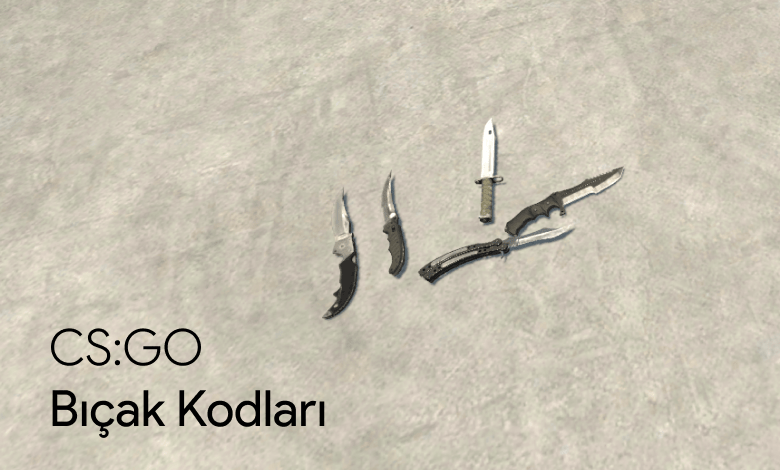
CSGO knife commands
You need to enter the "sv_cheats 1" and "mp_drop_knife_enable 1" commands before you can obtain the knives.
| Command | Description |
|---|---|
| give weapon_knife_ct | Counter Terrorist Knife |
| give weapon_knife_survival_bowie | Bowie Knife |
| give weapon_knife_t | Terrorist Knife |
| give weapon_knife_gut | Gut Knife |
| give weapon_knife_m9_bayonet | M9 Bayonet |
| give weapon_knife_butterfly | Butterfly Knife |
| give weapon_knife_flip | Flip Knife |
| give weapon_knife_falchion | Falchion Knife |
| give weapon_knifegg | Golden Knife |
| give weapon_bayonet | Bayonet |
| give weapon_knife_tactical | Huntsman Knife |
| give weapon_knife_karambit | Karambit Knife |
CSGO Map Commands
You may sometimes need to change maps in CSGO. The game provides several commands for this purpose. The table below lists CSGO map-change commands, their descriptions, and usage examples.
| Command | Description | Usage Example |
|---|---|---|
| changelevel [harita kodu] | Changes the map that the players are currently on. | changelevel de_dust2 |
| map [harita kodu] | Changes the active map to the specified map. | map de_mirage |
| changelevel_demo [demo kodu] | Plays the demo with the specified name. | changelevel_demo mydemo |
| changelevel_safe [harita kodu] | Changes the map, but is used only for safe maps to avoid a server error. | changelevel_safe de_mirage |
CSGO Radar Commands
CSGO radar commands are used to configure the appearance and properties of the in-game radar. They let players customize the radar size, teammate colors, and many other features, helping players read the map and coordinate with the team more effectively.
| Command | Description | Values | Default Value | Usage Example |
|---|---|---|---|---|
| cl_hud_radar | Whether the radar is visible | 0 = Off, 1 = On | 1 | cl_hud_radar 0 |
| cl_radar_always_centered | Whether the radar is centered | 0 = Off, 1 = On | 0 | cl_radar_always_centered 1 |
| cl_radar_scale | Radar size | 0.3 - 1.0 | 0.7 | cl_radar_scale 0.5 |
| cl_radar_icon_scale | Size of radar icons | 0.3 - 1.0 | 1.0 | cl_radar_icon_scale 0.5 |
| cl_radar_rotate | Whether the radar rotates or remains fixed | 0 = Off, 1 = On | 1 | cl_radar_rotate 0 |
| cl_radar_square | Square radar | 0 = Off, 1 = On | 0 | cl_radar_square 1 |
| cl_teammate_colors | Teammate colors on the radar | 0 = Off, 1 = On | 1 | cl_teammate_colors 0 |
| cl_radar_showall | Whether all players on the map are shown on the radar | 0 = Off, 1 = On | 0 | cl_radar_showall 1 |
CSGO Overwatch Commands
CSGO Overwatch commands help detect cheating in the Overwatch system and make the process easier. These commands can accelerate the analysis of player data and detection of cheating. By helping maintain fairness in Overwatch, they can make the gaming experience fairer.
| Command | Description | Usage Example |
|---|---|---|
| demo_timescale | Speeds up the demo. The standard speed is 1. Enter a number after the command to increase the speed. | demo_timescale 2.5 |
| demo_pause | Pauses the demo. | demo_pause |
| cl_draw_only_deathnotices | Removes all text from the screen and leaves only death notices. Enter 1 to enable it or 0 to disable it. | cl_draw_only_deathnotices 1 |
| demo_debug | Enables or disables debugging information. Enter 1 to enable it or 0 to disable it. | demo_debug 1 |
| demoui | Opens the demo player. | demoui |
| demo_resume | Resumes the paused demo. | demo_resume |
| spec_show_xray | Enables or disables X-ray. Enter 1 after the command to enable it or 0 to disable it. | spec_show_xray 1 |
| r_drawothermodels | Controls player visibility. Enter 0 after the command to hide players, 1 to make them visible, or 2 to make them visible even behind walls. | r_drawothermodels 1 |
| sv_showimpacts | Shows or hides bullet impacts. Enter 1 to enable it or 0 to disable it. | sv_showimpacts 1 |
Frequently Asked Questions
What Is the CSGO Mouse-Wheel Jump Bind?
The "bind mwheeldown +jump" command in CSGO makes your character jump when you scroll the mouse wheel down. This command helps players jump faster and more easily and may provide an advantage during the game.
What Is the Command for Holding the Weapon in the Left Hand in CSGO?
The command for holding the weapon in the left hand in CSGO is "cl_righthand 0." Enter this command in the console to move the weapon to the left hand.
What Is the Command for Increasing the Number of Rounds in CSGO?
You can use the "mp_maxrounds" command to increase the number of rounds in CSGO. For example, if you want to play 40 rounds, enter "mp_maxrounds 40" in the console.
What Is the Command for Ending the CSGO Warm-Up?
The "mp_warmup_end" command ends the warm-up period in CSGO. It ends warm-up immediately and lets players begin the match quickly.
What Is the Command for Making the CSGO Graph Smaller?
You can use the "net_graphproportionalfont 0" command to make the graph interface smaller in CSGO. This command reduces the size of the interface that displays the FPS value.
In conclusion, CSGO console commands are important tools that let players customize their gaming experience for more enjoyable and effective gameplay. They can be configured in different ways to suit each player's playstyle and preferences, allowing every player to create their own combination of commands. CSGO console commands can also be used to improve game performance.
You can also read our CSGO cheat commands guide for more entertainment-focused commands or our CSGO launch options guide for ways to improve game performance.


