
CSGO console unlocking is a process that allows players to customize their in-game settings and features. In addition to changing in-game settings, the command console can be used for many different purposes, such as fixing game bugs, improving game performance, viewing players' statistics, and even changing the game mode. Additionally, the CSGO command console also allows players to customize in-game chat, audio settings, and many other features. Therefore, accessing the command console is quite important for CSGO players.
Step 1: Launch the Game
The first step to open the CSGO command console is to launch the game. Therefore, you need to launch the CSGO game through your Steam library.
Step 2: Open the Settings Menu
After logging into the game, click on the "Settings" button in the upper right corner.
Step 3: Activate Developer Console Settings
In the settings menu, click on the "Game Settings" tab. On this page, select the "Enable Command Console" option under the "Developer Console" heading.
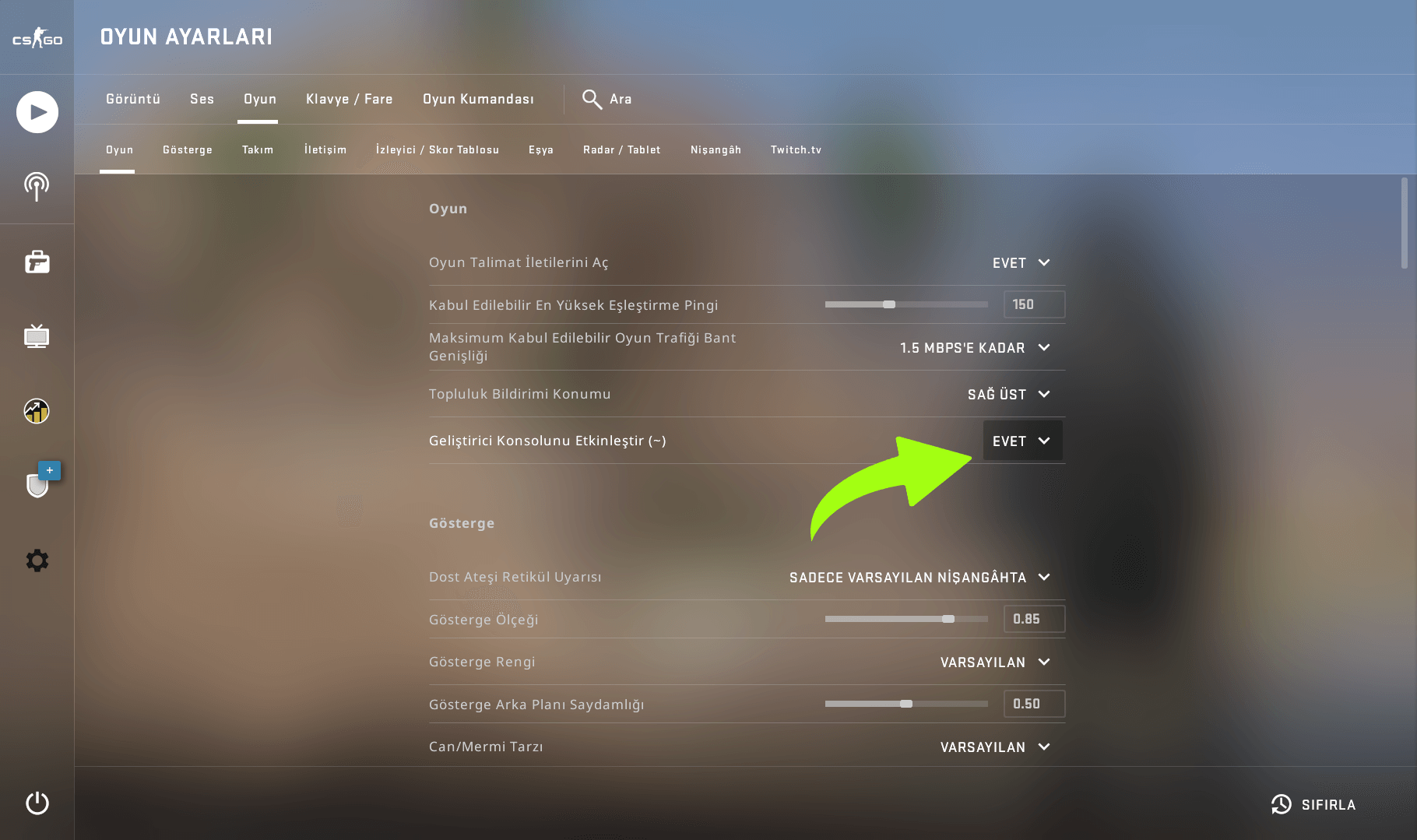
Enable Developer Console Option
Step 4: Open Command Console
To open the command console, go to the "Keyboard and Mouse" menu during the game and select the key you want to use via the "Toggle Console" option. Most players use the "é" key to open the console.
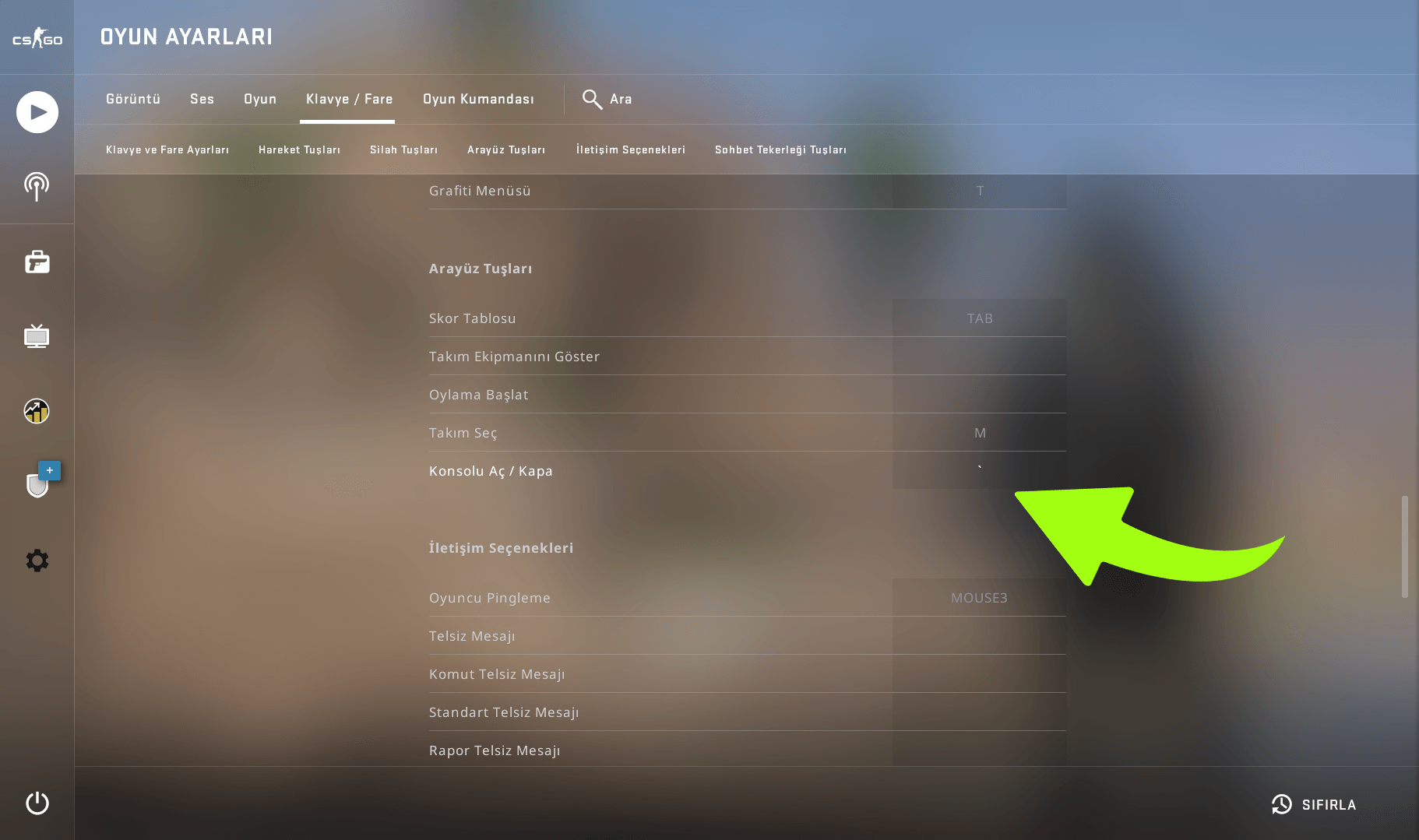
Console On Button Specify Option
Step 5: Use Command Console
After turning on the console, you can change in-game settings by entering different commands. For example, you can turn on the display of other players and objects by using the "r_drawothermodels 2" command. At this point, you can take a look at our articles CSGO Console Codes and CSGO Cheat Codes.
Alternative: Video Lecture
Thanks to Rabisu for the video guide.
Opening CSGO Console (Video Explanation)
This step-by-step guide will be very useful for players who want to open the CSGO command console. By using the command console, it is possible to perform better in the game and get a more customized experience.
After opening the console, you can benefit from the advantages of the console by checking out the following topics:


